When a salesperson makes a cold call or a support agent answers the phone, important details can easily slip through the cracks.
Even with VoIP (Voice over Internet Protocol) systems, calls are often handled separately from the tools that track customer data and tickets.
Without integration, teams are left logging calls by hand and piecing together context after the fact.
See how Odoo VoIP keeps conversations documented and all contact details linked and available across business processes.
Odoo VoIP works with your phone service; it doesn’t replace it
Odoo isn't a VoIP provider in itself; it connects with industry-standard software instead. Think of it as the control centre rather than the service provider.
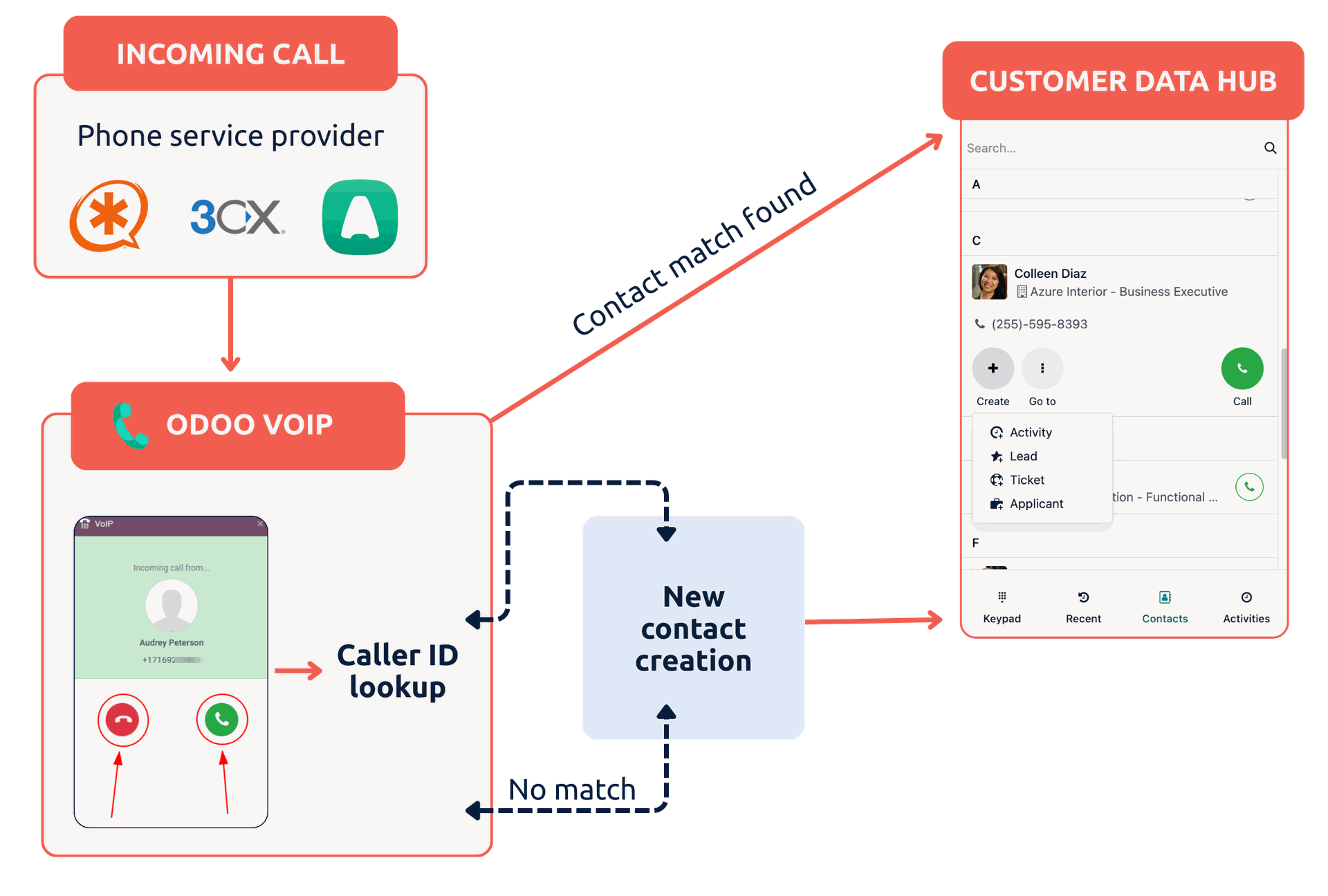
While the system provides the interface and workflow logic, it does not provide the actual phone lines.
To get a dial tone, you can connect the Odoo VoIP app to a server or provider such as Asterisk, 3CX, Aircall, or Axivox.
In this setup, Odoo acts as the user interface while the external server handles the voice transmission.
For complex requirements like call centre automation or advanced routing, specialised partner solutions like OdooPBX can be used to integrate Odoo with phone service providers.
Odoo VoIP connects caller IDs automatically to contact data
The main advantage of integrating your phone service provider with Odoo VoIP is that the system identifies the caller immediately and displays a Caller ID Preview.
Before you even answer, you can see the contact's details and recent history, such as open orders or support tickets.
Once the call is active, you have several tools available directly in the Odoo widget:
- Click-to-call: You can initiate calls instantly from any phone field in CRM, Sales, or Helpdesk
- Advanced keypad: You can search contact details directly from the built-in dialler
- In-call management: You can transfer, put on hold, mute, or merge calls for conferencing
- Automatic logging: You can access the recordings for every call in the document Chatter, including duration and timestamps
- AI voice intelligence: AI features provide real-time speech-to-text transcription and create automated summaries based on that transcript.
- Multi-number support: You can choose which outgoing caller ID to show based on the region you are calling.
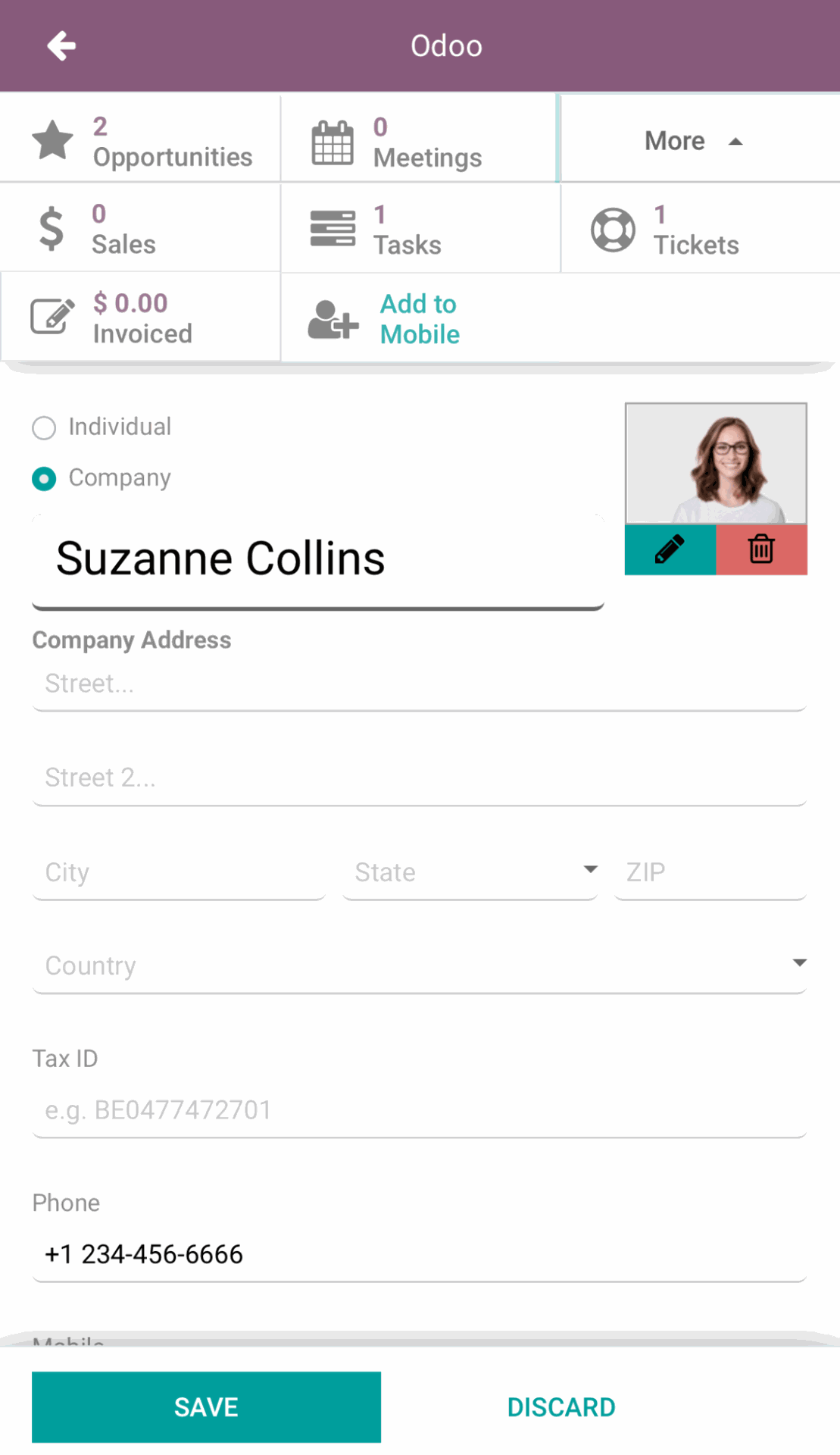
Odoo VoIP contact details and history.
How Odoo VoIP works in practice for different departments
Integrated calling changes how different teams handle their daily tasks. The following examples show how Odoo VoIP helps sales and customer support to cut down operational overhead.
Automating call documentation for sales outreach
In outbound sales, teams often spend a significant portion of their day manually dialling numbers and typing up notes after every conversation.
However, high-volume outreach requires speed.
If a salesperson has to switch from their lead list to a separate phone app and then manually record the outcome in the CRM, they lose minutes on every call. Over a week, this adds up to hours of administrative overhead.
Without a synced system, managers also lose visibility into the pipeline, as they can't easily see which leads were called or what was discussed.
The Odoo solution
Odoo VoIP brings together the key apps needed to automate the sales dialling workflow.
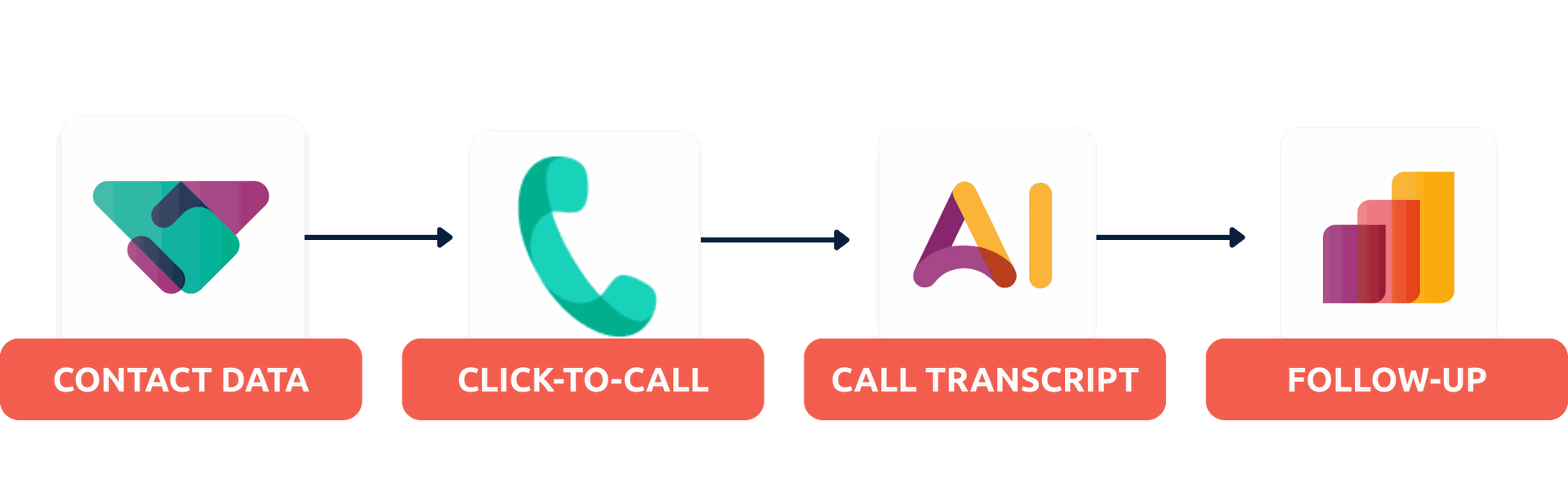
- The CRM app stores lead data and serves as the centre for outreach
- The VoIP app enables Click-to-Call and sequential Call Lists, so reps move through prospects with zero downtime
- AI automatically transcribes the call and generates a summary directly in Chatter
- The Activities feature in Odoo prompts the sales rep to schedule the next follow-up immediately after hang-up.
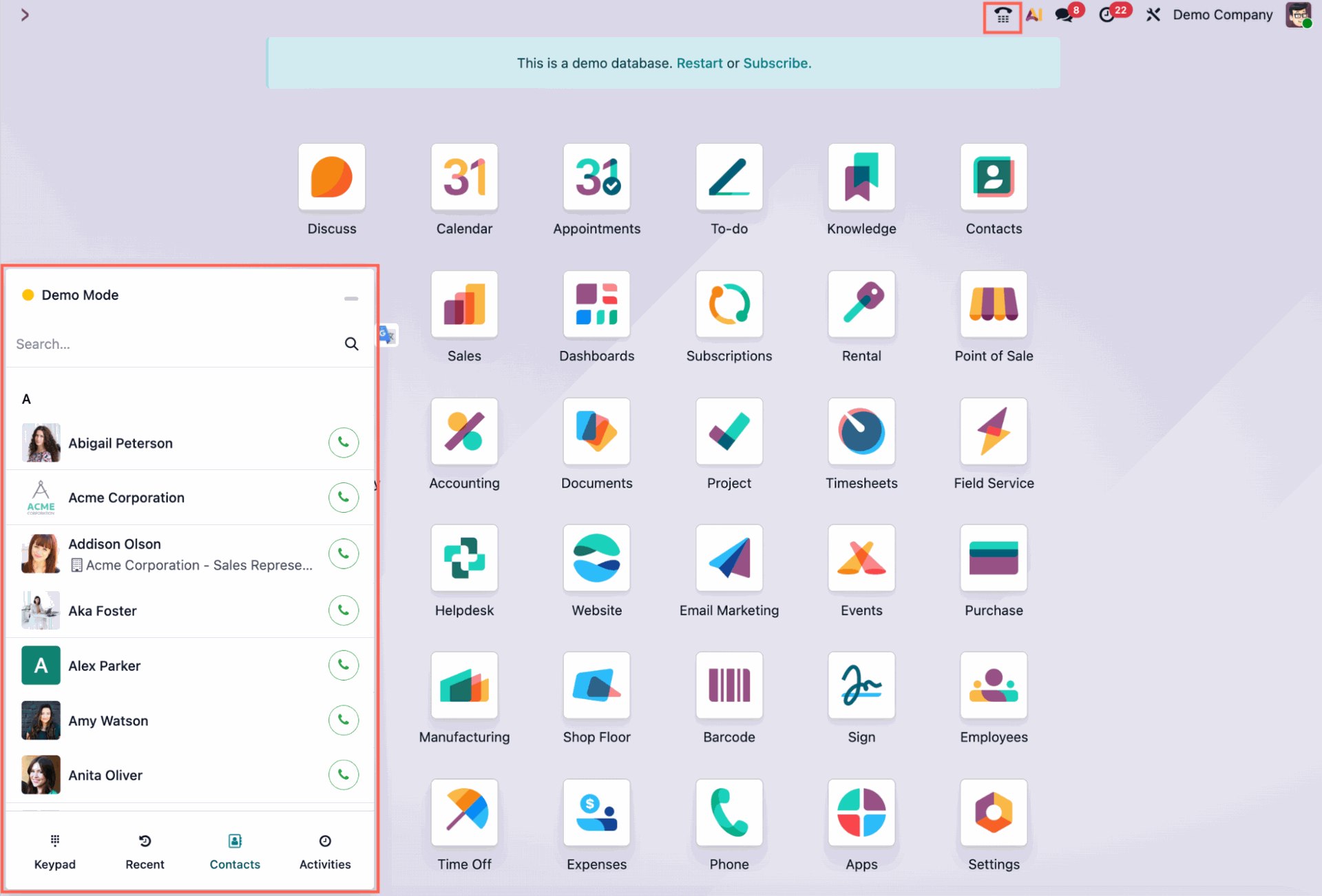
Odoo VoIP shows the Click-to-Call button and Call Lists from the dashboard.
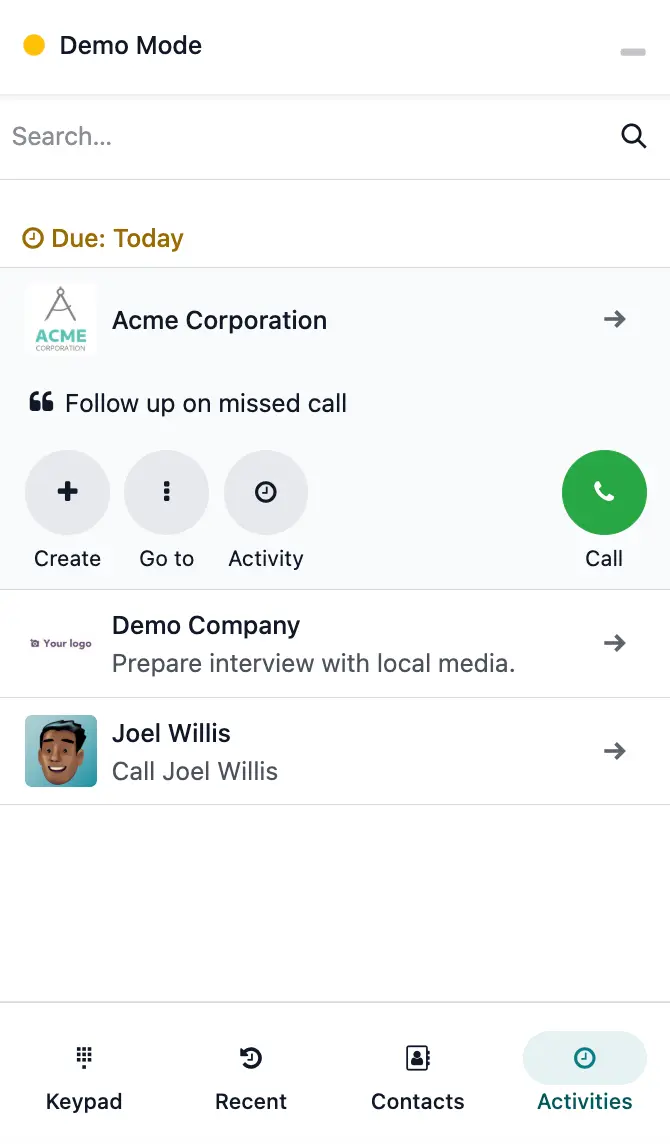
Odoo VoIP enables the Activities feature via Click-to-Call for immediate follow-ups.
Speeding up support ticket processing with instant customer context
Customer support teams are often under pressure to resolve tickets quickly.
Yet, they are frequently slowed down by discovery time. This is the period at the start of a call spent identifying who the customer is and what their history with the company looks like.
When a support system is separate from the phone system, agents end up answering their customer calls blindly.
They have to ask the customer for their name, email, or ticket number, then manually search for that information in the database. And if the call needs to be transferred to a specialist, the customer often has to repeat their entire story, which leads to frustration.
This creates a poor customer experience and inflates the Average Handle Time (AHT) for the agent.
The Odoo solution
Odoo provides a unified interface where voice data and support history live together.
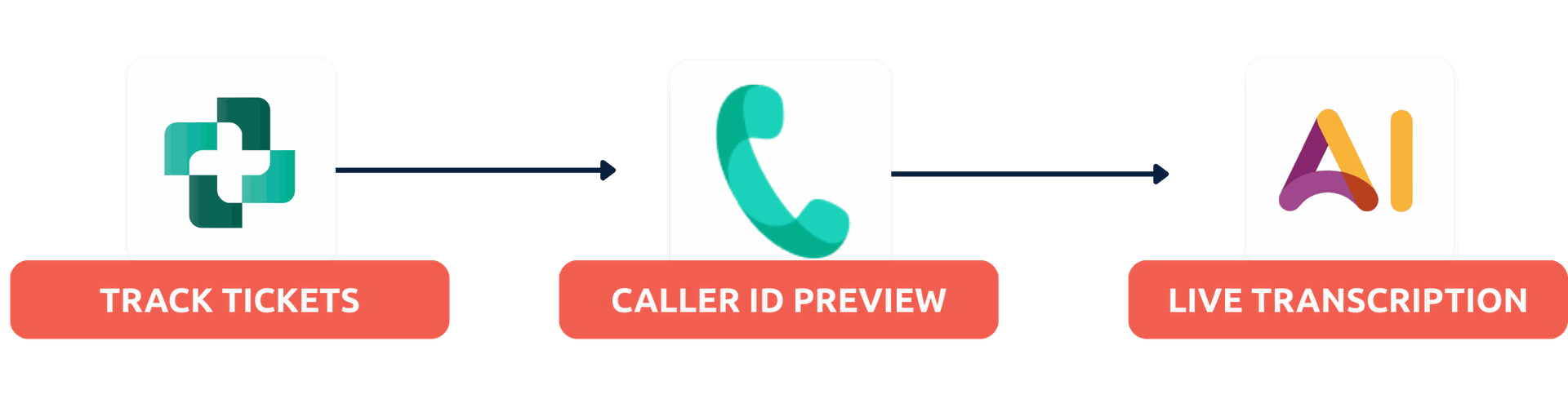
- The Helpdesk app tracks every customer issue and communication thread
- The VoIP app triggers a Caller ID Preview that links directly to the caller’s active tickets the moment the phone rings
- Live transcription creates a real-time text record of the conversation, ensuring key technical details are captured
- Attended Transfer allows agents to brief a colleague internally within the widget before completing a transfer.
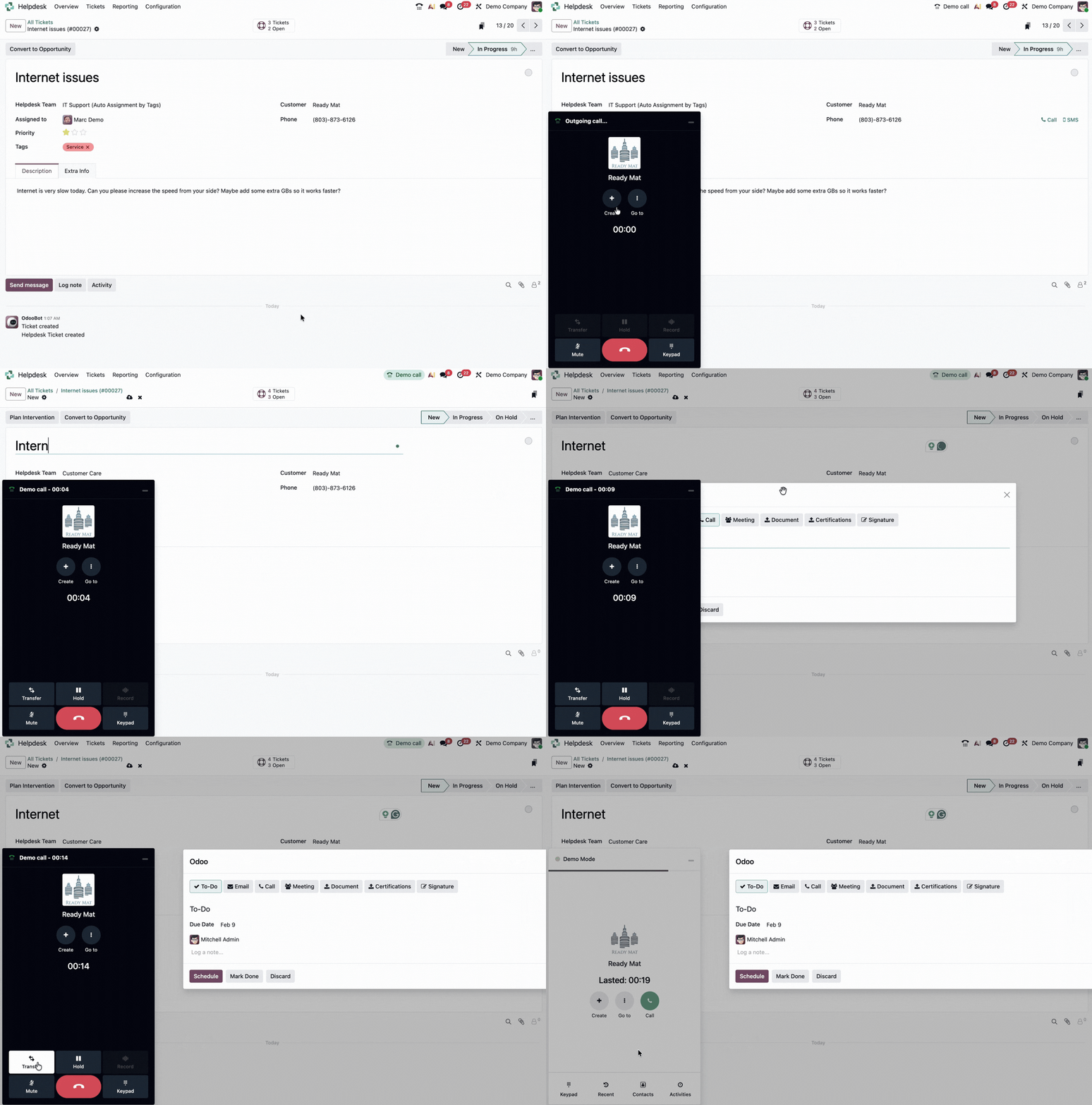
Call customers from the Helpdesk app, create activities, and transfer calls with Odoo VoIP.
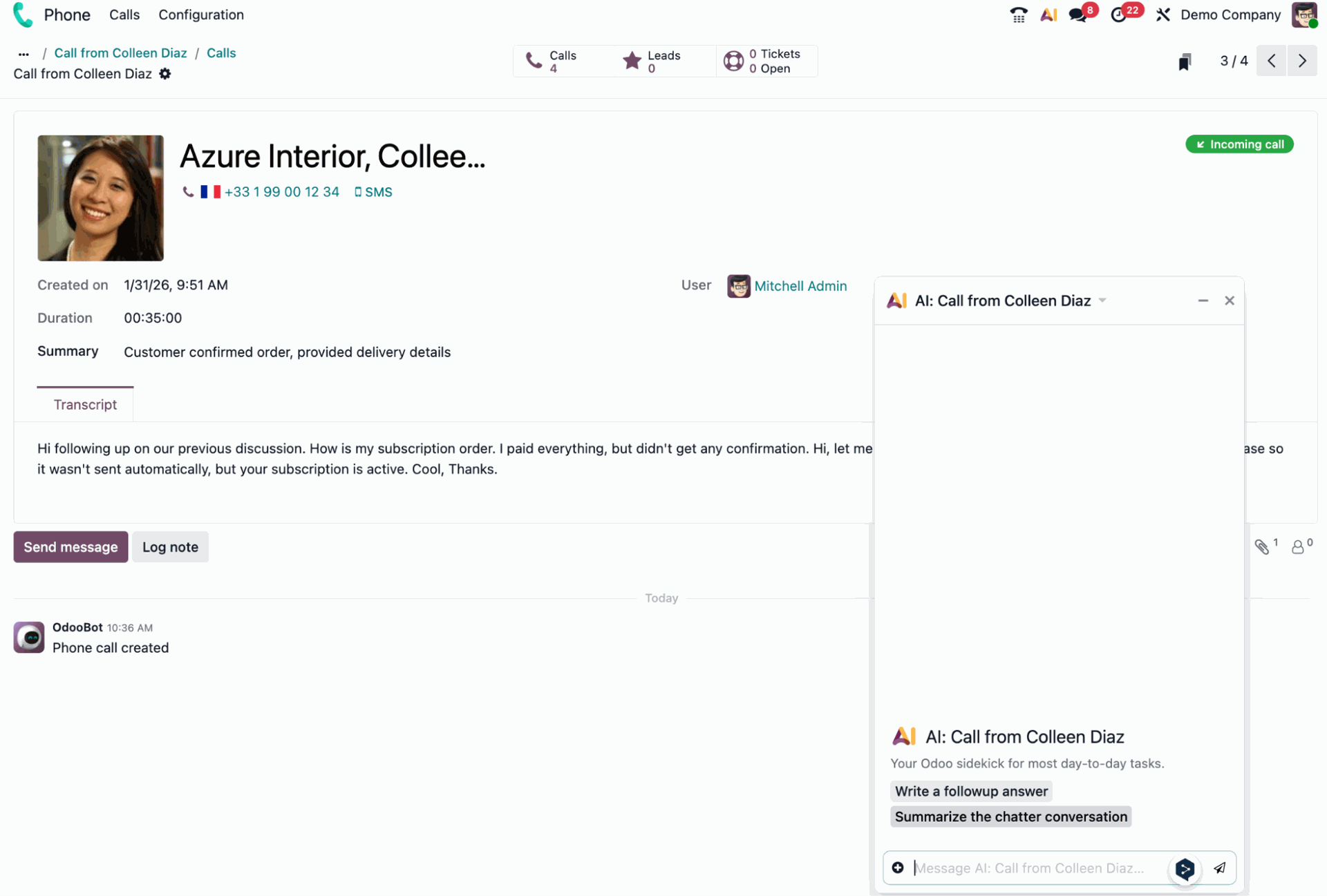
The Odoo VoIP app shows a live call transcription and lets users generate a conversation summary with AI.
Let’s discuss your Odoo VoIP setup
Our experts can help you tailor Odoo VoIP to your business use case and automate your communication workflows.